
The “Executive Tax”
If you’ve spent over 30 years in the technology industry like I have—from HP to Micron—you know the reality of the job. It’s not just the strategy meetings or the high-pressure decisions; it’s the sitting.
When I built my home office for Gem State Technology, I decided to audit my workspace the same way I’d audit a failing business unit. The bottleneck wasn’t my computer or my internet speed.
The bottleneck was the chair and the desk.
Why I Finally Switched to a Standing Desk
I resisted standing desks for a couple years back in the 90’s. I thought they were a Silicon Valley fad. But the data on “sedentary lifestyle” is undeniable. Sitting for prolonged periods restricts blood flow and kills focus.
I didn’t want to stand all day (that’s just as bad). I wanted the option to shift.
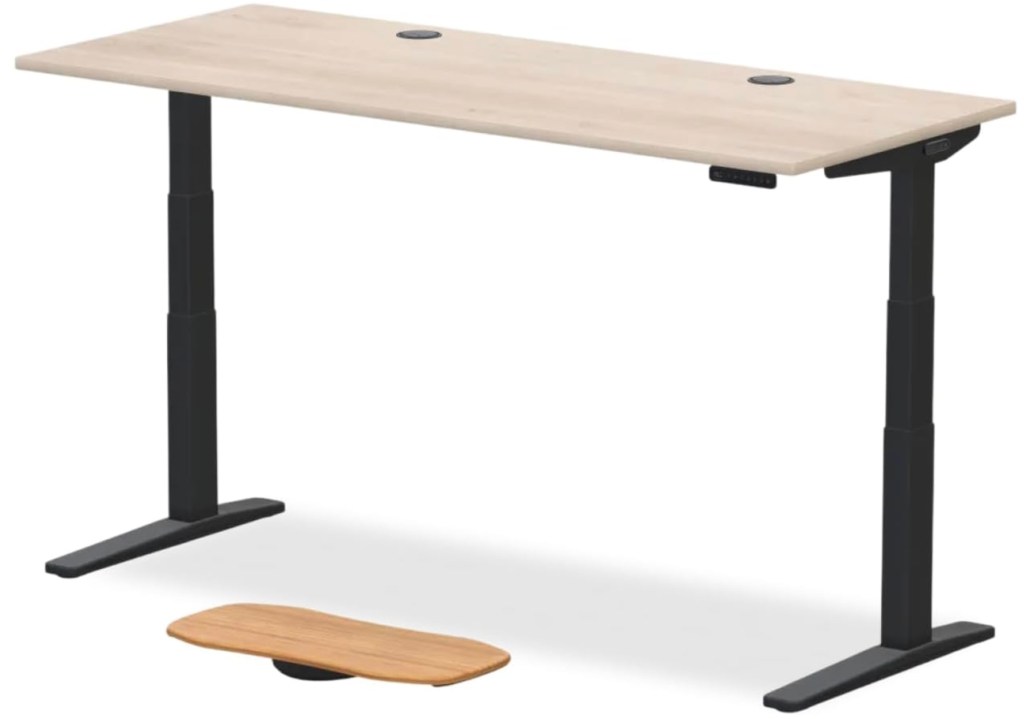
I tested the market, ignored the cheap $200 options on Amazon that wobble if you type too hard, and invested in the [Uplift V3 Desk].
Here is my honest, executive review of the setup.
The Criteria: What Matters?
When you are managing high-level strategy, you cannot deal with equipment failure. I judged the desk on three metrics:
- Stability: Does the monitor shake when I type? (The “Wobble Test”).
- Aesthetics: Does it look like a piece of furniture or a piece of industrial machinery?
- Mechanics: Is the motor quiet enough to adjust during a Zoom call?
The Review: Uplift Desk
1. The Build Quality This is heavy-duty hardware. The frame is solid steel. When I raise it to standing height (I’m 5’11”), there is virtually zero wobble. This is critical—if your monitor shakes every time you send an email, you will get motion sickness and stop using the standing feature.
2. The Workflow The memory keypad is essential. I have “Preset 1” for my deep-work sitting height and “Preset 2” for standing.
- Morning: I start standing to get the blood flowing.
- Deep Dive: I sit for complex documentation or coding.
- Zoom Calls: I stand. It changes your vocal projection and presence on camera.
3. The ROI The desk cost me roughly $800. That sounds steep compared to an IKEA desk. But consider the cost of physical therapy, chiropractor visits, or just the lost productivity from being tired in the afternoon. The ROI was positive within three months. And, this is an investment in yourself!
The Verdict
If you are a senior professional, your office is your cockpit. You cannot perform at an elite level in a compromised environment.
The Uplift Desk isn’t just a desk; it’s a tool for longevity. It allows me to work longer hours with less fatigue, and frankly, it just looks professional.
If you are ready to upgrade your workspace, I recommend avoiding the entry-level gear and going straight for the commercial-grade options.
LINK: 👉 Check out the exact desk configuration I use here
Pros & Cons
Pros:
- Industrial stability (no wobble).
- Whisper-quiet dual motors.
- Professional aesthetic (fits a home, not just a cubicle).
Cons:
- Assembly takes about 45–60 minutes (it’s heavy).
- NOT DOING IT SOONER
Final Thoughts
Don’t wait until your back gives out to make the change. Investing in your infrastructure is investing in your career.

 Gem State Technology
Leave a comment